

You just got your logo files. Now you’re staring at a folder full of names you’ve never seen before. AI? EPS? SVG? PNG? It’s honestly a lot. But you don’t panic because I’ll break each one down in plain, simple language.
Raster vs Vector: The Basics
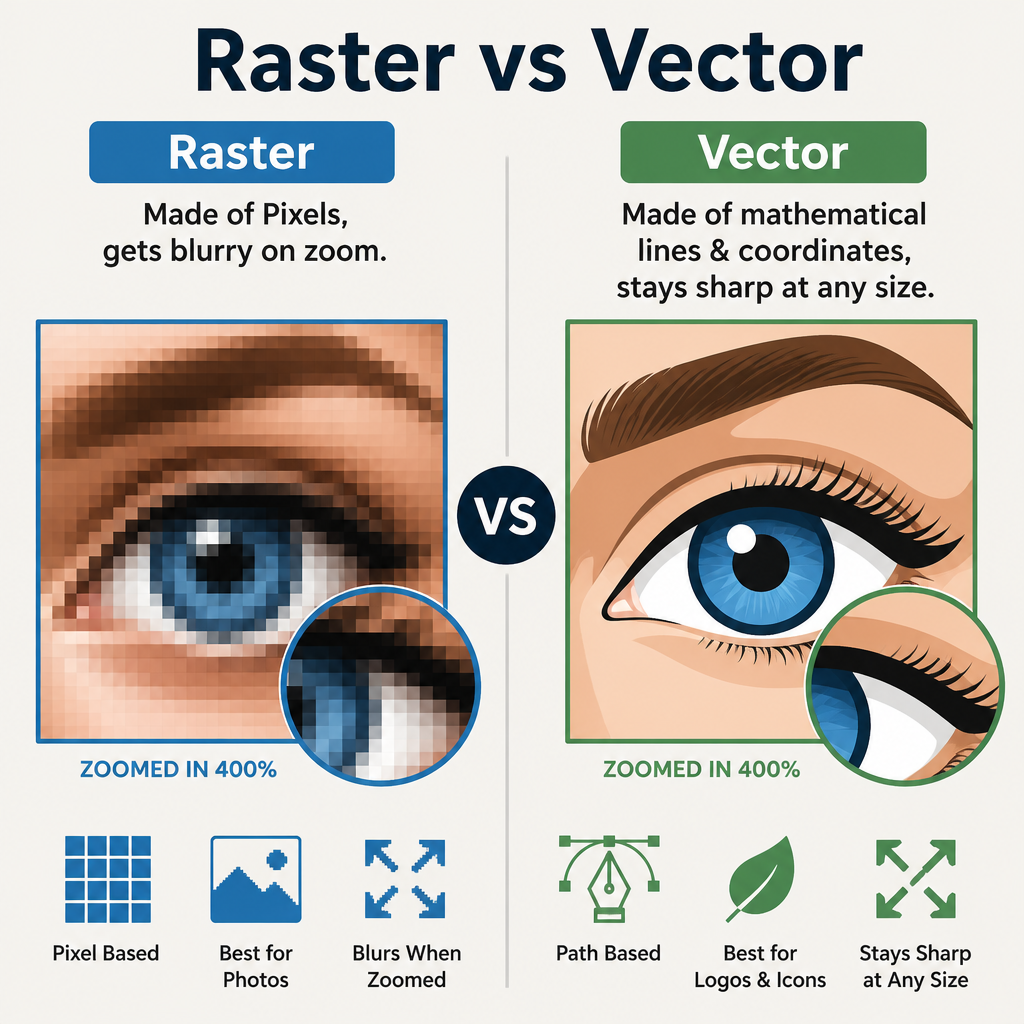
Before we get into file types, there’s one thing to keep in mind: All logo files are either raster or vector.
Raster files are made of tiny colored squares, known as pixels. When you zoom in too much, they will become blurry.
Vector files, on the other hand, use mathematical formulas that consist of lines and coordinates. Because of this, they can be scaled to the size of a billboard or a postage stamp. They will always remain sharp. This sharp look you get with vector files is one of the biggest benefits of using them.
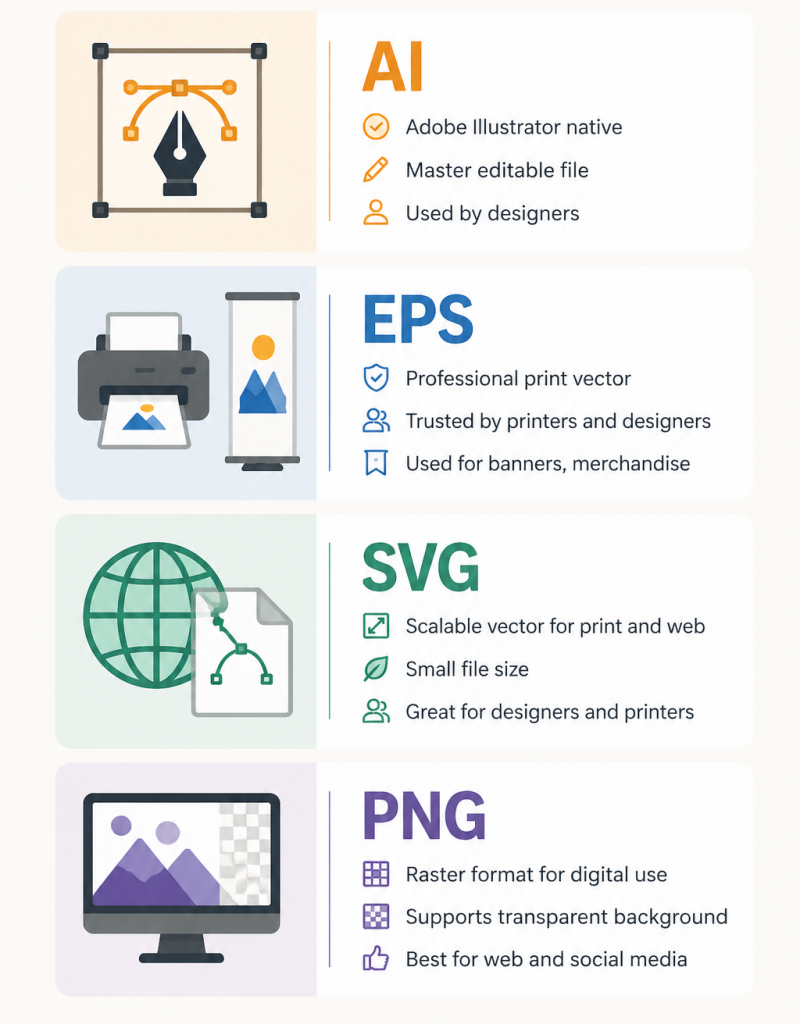
PNG: Best for Digital Use
PNG is often chosen for anything shown on a screen. Website headers, social media profiles, email signatures, presentation slides. All of these are usually covered by PNG with little hassle. A clear background is also supported. So a logo can be kept clean on any color or image.
But one thing you need to remember: PNG is a raster file. It can be made to look sharp on a screen. But it is not held up well in print. Vector files should be used any time something is sent to a printer.
Use PNG for:
- Website and blog headers
- Social media profile photos and cover images
- Email signatures
- Presentations and slide decks
- Adding watermarks to photos
SVG: The Print-Ready Vector
SVG stands for Scalable Vector Graphic. It is defined as a vector file, and so any size can be used without quality being lost. A much smaller file size than PNG is also often provided. That is a clear win for websites that need quick loading.
SVG is often considered one of the best formats for sending to a printer or designer. It is accepted by most printers today. If your printer accepts it, SVG should be chosen each time.
Use SVG for:
- Posters, stickers, and flyers
- Business cards
- T-shirts and branded merch
- Sending your logo to a designer for edits
- Website graphics where file size matters
EPS: The Designer’s Choice for Print
EPS is another vector format. Designers often favor it and have been using it for many years. It is supported by almost all professional print software. It is so dependable that it gets the job done every time without trouble.
An EPS file is usually opened in design software such as Adobe Illustrator. But if a printer or designer requests one, it should be sent right away. It is made for professional printing work. And so for this reason, it should be treated like a high-quality original.
Use EPS for:
- Large print like banners and billboards
- Clothing and branded merchandise
- Professional print projects
- Handing off your logo to a designer
AI: The Master File
AI is Adobe Illustrator’s own native file format. A designer opens it to work on your logo from scratch. You probably won’t need to open this file yourself unless you work directly in Illustrator.
If a designer ever asks for your “source file,” this is exactly what they mean. Hold onto it. It’s the full and editable version of your logo. So you need to guard it as you would your first draft.
Quick Cheat Sheet
| What You Need | Best File |
| Website or social media | PNG |
| Sending to a printer | SVG or EPS |
| Sending to a designer | SVG, EPS, or AI |
| Large banners or billboards | EPS |
| Transparent background | PNG or SVG |
So Which One Do You Use?
If you are into digital images, you can grab the PNG. It works on almost every device and platform. For printing, you should go with SVG or EPS. And when a designer needs your “master file,” simply hand over the AI file.
Keep all your logo files in one well-labeled folder. In the future, you will be very grateful.